
Panel PC systems combine computer and display components in a single enclosure to create a compact workstation for production, automation and field applications. Operated via a touchscreen, industrial Panel PC models can be adapted to various processes such as machine control, production tracking, data entry, HMI applications and operations management.
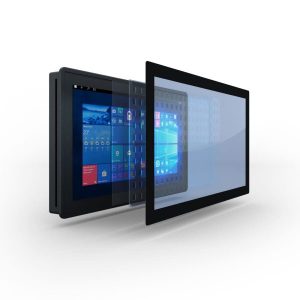
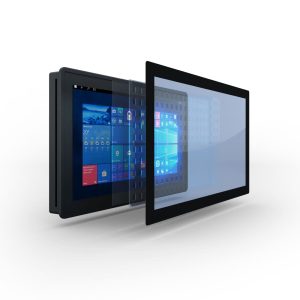
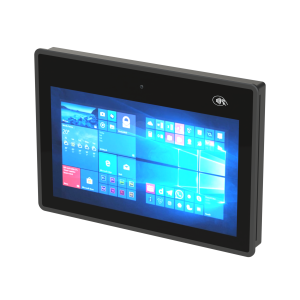
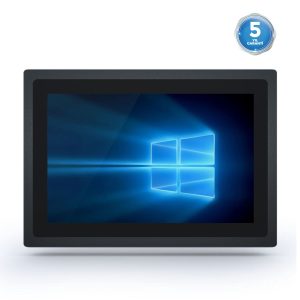
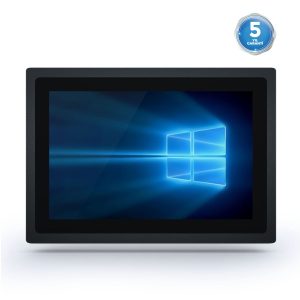
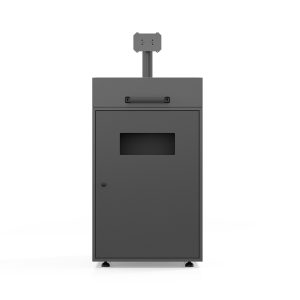
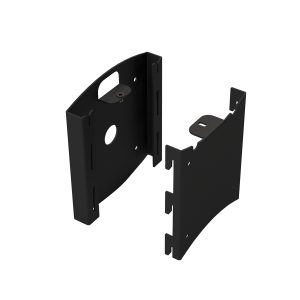
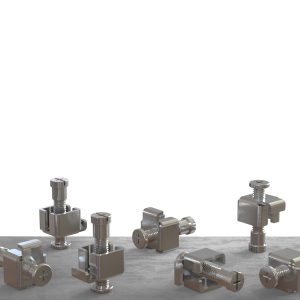
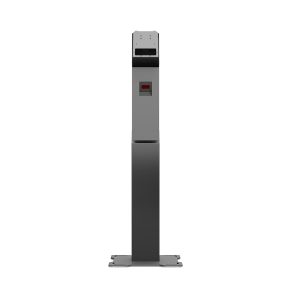
The Noya Tech Panel PC product family includes models with various screen sizes, processor options, ports and operating systems. Depending on the project’s technical needs, Android Panel PCs, Linux-compatible Panel PCs, fanless Panel PCs, stainless steel Panel PCs and industrial computer options with different protection features can be considered.
An industrial Panel PC is a computer solution suited to production and field conditions that combines a touchscreen and computer hardware in the same enclosure. Because it does not require a separate computer case and monitor, it enables a more organized and compact installation in the work area.
Depending on the use case, the device can be mounted on a machine, control cabinet, production line, wall, support arm or kiosk enclosure. This allows operators to access the applications and production data they need from a convenient point.
Industrial Panel PC systems can be used in applications such as:
When determining the right Panel PC model, the software to be run, the connections to be used, environmental conditions and daily operating hours should be evaluated together.
Touch Panel PC systems let users perform tasks directly on the screen. Operators can view machine values, issue commands, fill out forms and enter production data into the system without needing a keyboard or mouse.
For these devices, the display must suit the operating environment. Touch sensitivity, image brightness, screen resolution, viewing angle and the need for glove use should be considered in device selection.
When choosing a touch Panel PC, the following features can be evaluated:
Designing the interface to suit the screen size and the operator’s way of working makes field use easier.
An HMI Panel PC creates a visual control point between the operator and the machine or production process. Employees can view system values, follow alarms and notifications, and issue the necessary commands on the touchscreen within their authorization.
The Panel PC model used in HMI applications must meet the software’s performance requirements. The processor, memory, storage, screen resolution and ports should be evaluated together at the start of the project.
In projects requiring communication with PLCs, sensors, machines and field equipment, serial port options such as RS-232, RS-422 or RS-485 may become important in addition to Ethernet connections.
Android Panel PC systems can be preferred in projects where touch use, easy application management and a simple user interface take priority.
Custom Android applications, web-based software, information screens, data collection systems and kiosk applications can run on an Android Panel PC. The device can also be used in kiosk mode, where a single application stays open continuously.
If the Panel PC will be used with the Android operating system, the following should be checked:
An Android Panel PC can offer a compact, easy-to-manage alternative, especially for basic transaction and data collection applications.
Windows-based Panel PC systems can be considered for industrial projects using HMI, SCADA, MES, ERP and similar enterprise applications. The device’s hardware specifications should be determined according to the system requirements of the software to be run.
In projects planning to use a Linux Panel PC, the selected Linux distribution must be compatible with the device hardware and drivers. Whether the touchscreen, network card, serial ports and other connections are supported by the operating system should be checked before the project.
When choosing the operating system, the following should be considered:
The choice of operating system should be based on the software and project infrastructure, not just user habits.
Fanless Panel PC systems have no active cooling fan. Heat inside the device is dissipated through the enclosure and passive cooling components.
Fewer moving parts can help reduce fan noise and maintenance needs. Since the device does not draw in outside air through a fan, it can also be an advantage in dusty working areas.
Fanless Panel PC models can be considered for:
When choosing a fanless design, the device’s processor performance, enclosure design and operating temperature range should be evaluated together with the ambient temperature.
Panel PC screen size should be determined according to where the device will be placed, user distance and the amount of information to be displayed. A large screen is not the better option for every project. Compact screens can be preferred in applications with limited space, and wider screens in applications displaying detailed data.
10-inch Panel PC models can be considered for machine-side applications with limited space, small control cabinets and basic data entry points.
Thanks to their compact size, they provide the user with the necessary controls while taking up less space on the machine or cabinet. For 10-inch Panel PC options, screen resolution and interface design should suit the amount of information to be displayed.
15-inch Panel PC models offer a balance between screen area and device size. They can be used in many industrial applications such as production tracking, operator displays, HMI, data entry and viewing work orders.
When choosing a 15-inch Panel PC, the device’s processor performance, ports and mounting method should be evaluated in addition to the touchscreen technology.
A 17-inch Panel PC can be preferred for applications where process screens, tables, charts or multiple control areas must be displayed at the same time.
A larger screen area can help operators follow detailed data more comfortably. The device’s mounting height, user distance and screen resolution should be planned together.
For large production lines, control centers and detailed monitoring screens, 18-inch, 21-inch or larger Panel PC models can be considered. For widescreen products, it is important that the mounting structure suits the device’s weight and operating environment.
In food, beverage, chemical, pharmaceutical and hygiene-critical production areas, the device’s enclosure material and cleanability are important. Stainless steel Panel PC models can be considered for such projects.
Depending on the model and project requirements, devices with different protection classes against water, dust or external influences can be used. When choosing a device, not only front panel protection but also the entire enclosure, ports, cable entries and mounting structure should be examined together.
In protected Panel PC projects, the following needs can be evaluated:
The required protection level should be determined according to the field conditions in which the device will be used.
In industrial applications, ports are as important as the device’s processor performance. The ports needed for the Panel PC to communicate with machines, PLCs, sensors, barcode scanners, cameras, printers or network equipment should be determined in advance.
Depending on the model, connections that can be evaluated include:
When determining connectivity needs, consider not only the current state of the project but also devices that may be added to the system in the future.
A kiosk Panel PC can be used in kiosk projects that require the display and computer components in a single enclosure. It can be considered for applications such as information, registration, queue tickets, shop floor transactions and user wayfinding.
If the Panel PC is planned to be placed inside a kiosk, the following should be addressed together:
In projects using many peripherals such as payment terminals, card readers, barcode scanners or printers, the Panel PC should be evaluated as one component within the entire kiosk system.
A Panel PC combines the display, touch panel and computer hardware in the same enclosure. The operating system and applications run directly on the device.
A touch monitor is not a computer on its own. It must be connected to a separate computer to receive images and transmit touch commands to the system.
If a compact workstation is to be created without a separate computer, a Panel PC may be more suitable; if a touchscreen is to be added to an existing computer, a touch monitor.
To determine the right Panel PC model for your business, first clarify which application the device will run and which tasks it will perform.
The following topics should be evaluated during the selection process:
Defining project requirements correctly at the outset helps prevent unnecessary hardware costs and achieve a more suitable device configuration.
Panel PC prices vary according to screen size, processor, memory, storage, touchscreen technology and connectivity options. A device used for a standard HMI application and an industrial Panel PC requiring high performance or special protection do not have the same pricing.
The main factors affecting Panel PC price are:
When comparing Panel PC prices, look not only at the initial purchase cost but also at the device’s service life, energy consumption, maintenance needs, software compatibility and total cost of ownership.
You can get a Panel PC quote tailored to your project by sharing the software you will use, screen size, connectivity needs and estimated quantity.
When choosing a Panel PC manufacturer or solution provider, comparing processor and display specifications alone is not enough. Product availability throughout the project, technical support options and the ability to configure products for different needs are also important.
The following topics can be considered when evaluating a manufacturer:
Noya Tech helps determine the right Panel PC model and hardware configuration according to the project’s application and technical requirements.
Military Panel PC systems may have special technical requirements such as shock, vibration, temperature, humidity and electromagnetic compatibility. These products should be evaluated under project and certification conditions different from standard industrial Panel PC models.
For products for defense, maritime, vehicle and mission system projects, you can explore military Panel PC and monitor solutions.
Share with us the software you will use, your preferred screen size, the required ports and the environment where the device will operate. Let the Noya Tech team get in touch with you to determine the Panel PC model and hardware configuration that meet your project’s technical requirements.
A Panel PC is a computer system that combines a display, touch panel and computer hardware in a single enclosure. It can be used in production, automation, HMI, data collection and field applications.
Industrial Panel PC models are developed with field conditions, long operating hours, mounting requirements and industrial connections in mind. Standard computers are mostly intended for office and personal use.
An HMI is the user interface that lets the operator interact with a machine or process. A Panel PC is the computer hardware on which HMI software can run. A Panel PC can also be used in industrial applications other than HMI.
A fanless Panel PC is a computer system without an active cooling fan. Heat is dissipated through the passive cooling structure and the device enclosure. This design can reduce fan noise and the number of moving parts.
An Android Panel PC can be considered for projects using custom mobile applications, data collection, information display, control, kiosk and web-based software.
Linux use depends on the hardware and driver support of the selected model. The compatibility of the Linux distribution with the touchscreen, network connections and other hardware should be checked before the project.
Screen size should be determined by where the device will be placed, user distance, the amount of information to be displayed and interface design. 10 inches can be considered for compact applications, 15 or 17 inches for standard operator displays, and larger models for detailed monitoring applications.
When suitable mounting, connectivity, ventilation and service conditions are provided, a Panel PC can be used inside a kiosk as the display and computer component.
Panel PC prices are determined by screen size, processor, memory, storage, touch technology, operating system, ports, enclosure design and protection requirements.
Depending on the model and project scope, the processor, memory, storage, operating system, connectivity options and mounting accessories can be evaluated according to needs.
Your Cookie Preferences
We use strictly necessary cookies to keep our site secure and working properly. Cookies used to measure visit statistics (analytics) and to evaluate the effectiveness of our advertising (marketing) are used only with your explicit consent. You can change your preference at any time via the “Cookie Settings” link at the bottom of the page. Details: Cookie Policy · KVKK Privacy Notice
Cookie Settings
You can choose below which cookie categories you allow. Strictly necessary cookies are required for the site to work and cannot be turned off. Analytics and marketing cookies are used only with your explicit consent under KVKK (Turkish Personal Data Protection Law No. 6698); you can withdraw your consent at any time. Cookie Policy
Strictly Necessary Cookies
Used for displaying pages, security, form submissions, the quote and comparison lists, and remembering your cookie preference. These cookies are not used for personal preference or advertising purposes.
Analytics Cookies
Lets us statistically measure information such as the number of visitors, pages viewed, traffic sources and site performance (e.g., Google Analytics). In this context, data may be transferred to the service provider’s servers abroad.
Marketing Cookies
Used to measure the effectiveness of advertising and remarketing campaigns and to show you content relevant to your interests (e.g., Google Ads, Meta, LinkedIn). In this context, data may be transferred abroad.
Select at least 2 products
to compare
